



Oktul Work Item Macro for Confluence
A Confluence macro that lists Jira work items for a JQL query, with the columns you choose, Assets objects as chips, and PDF and Word export.
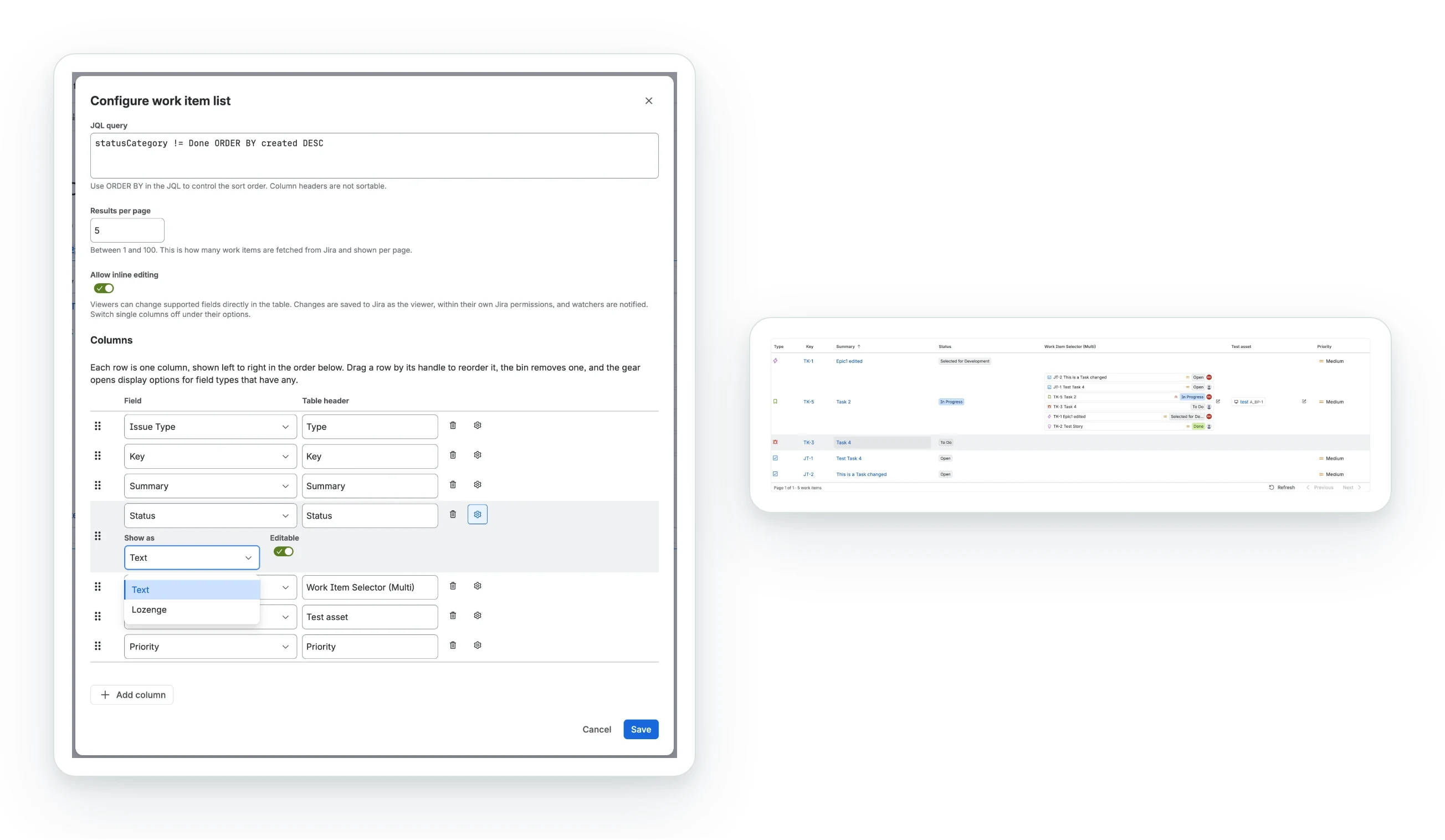
Oktul Work Item Macro for Confluence puts a live table of Jira work items on a page. You write the JQL and choose the columns. Each reader sees the work items as they are in Jira now, within their own permissions.
What it does
- Any Jira field as a column, including custom, Jira Service Management and other Forge app fields. One field can fill several columns.
- Display options per column: lozenge or text, cards or names, dates or relative time, and more. See columns and display options.
- Assets objects as chips, with icon, label and key. See Assets and Work Item Selector fields.
- Work Item Selector fields as cards, as that app draws them in Jira.
- Sorting from the headings, through Jira, for that reader only. See sort by a column.
- The table in exports: PDF, Word, page history and emails, up to 300 rows. See export, page history and email.
- Inline editing (Advanced edition), as the reader, within their permissions. See inline editing.
How it works
- On the page, requests run in the reader’s browser, as the reader.
- In an export, they run in the app’s Forge function, as the person exporting.
- Either way, Jira applies that person’s permissions, so two readers can see different rows.
- Nothing is cached. Each view runs the JQL again. Confluence stores only the macro’s configuration.
- No data leaves Atlassian. The app declares no external permissions. See privacy and data handling.
Editions
| Edition | What it includes |
|---|---|
| Standard | The table, every column and display option, sorting, paging and exports |
| Advanced | Everything in Standard, plus inline editing of the listed fields |
The edition follows your Marketplace subscription. Nothing else changes.
What it does not do
- A reader’s sort is not saved. Other readers and exports see the JQL’s
ORDER BY. - No jumping to a page number. Jira returns results page by page, so there is Previous and Next.
- No cache. A large page size on a busy page means more requests to Jira.
- No uploaded icons. A custom Assets icon shows as a generic glyph, a custom priority as its name.
- Exports stop at 300 rows and show no icons.
- Jira data only. It does not list Confluence content or create work items.
Before you start
- Confluence Cloud and Jira Cloud on the same site, with the app connected to both.
- A site administrator to install it. See install the app.
- Edit permission on the page, to add the macro.
- Browse permission in Jira, to see work items. For Assets, the Object viewer role.
Common questions
- Does every reader see the same rows?
- No. Jira applies each reader's own permissions, so two readers can see different rows.
- Does the macro cache Jira data?
- No. Each view runs the JQL again, and Confluence stores only the macro's configuration.
- Does the table appear in a PDF or Word export?
- Yes, up to 300 rows, without icons. See export, page history and email.
- Can readers edit work items from the table?
- With the Advanced edition, yes, within their own Jira permissions. See inline editing.
- Does any data leave Atlassian?
- No. The app declares no external permissions. See privacy and data handling.